A Practical Guide to Solar and Smart Home Integration
Last Updated: November 1, 2026
Quick Summary
Solar and smart home integration connects your panels, battery and major household loads to one control layer so generation, storage and consumption are coordinated automatically instead of managed by hand. The control layer schedules loads, holds battery charge for evening peaks and diverts surplus energy where it pays. Without it, your inverter exports cheaply while your hot water draws from the grid at retail price.
- Every integrated system rests on four parts: generation, conversion, storage and control.
- Confirm in writing that your controller can both read and command the battery, not just monitor it.
- Circuit-level monitoring is the standard worth insisting on before writing any automation rule.
- Ask for control and metering as separate quote lines so you can compare like for like.
- Audit existing wiring and switchboard capacity before design, since this determines what is feasible.
Table of Contents
- How Does Solar and Smart Home Integration Actually Work?
- The Four Parts of a Connected Solar Home
- What a Smart Home Energy Management System Does for Your Solar
- Solar Battery Integration With Home Automation: Storage, Backup and Resilience
- Why a Solar Energy Monitoring System Is the Backbone of the Setup
- Solar Power Diversion: Sending Surplus Energy Where It Pays
- Compatibility, Cybersecurity and Reliability: What to Check Before You Commit
- What Solar and Smart Home Integration Costs and How to Plan the Project
- Book a Solar and Smart Home Integration Assessment
- Frequently Asked Questions
How Does Solar and Smart Home Integration Actually Work?
Solar and smart home integration is the practice of connecting a photovoltaic system, battery and major household loads to a single control layer so that generation, storage and consumption are coordinated automatically rather than managed by hand.
The core idea: your panels make power, your battery stores it, and your smart home decides where it goes. Without integration, those systems run on separate clocks, your inverter exports surplus at a low feed-in rate while your hot water system draws from the grid at retail price.
The Four Parts of a Connected Solar Home
Every integrated system rests on four components working in sequence: generation (the array), conversion (the solar inverter, which turns DC into usable AC and, in hybrid models, manages battery charging), storage (the battery and its management system), and control (the automation layer that reads data from all three and issues instructions).
The weak link is almost always the fourth part. A common mistake is buying premium panels and a capable battery, then leaving scheduling to a basic timer. The hardware performs; the coordination doesn't.
What a Smart Home Energy Management System Does for Your Solar
A smart home energy management system is the software and hardware layer that monitors generation and consumption in real time, then automates loads, battery charging and export decisions against your tariff structure. Explore the energy management for home and business service to see what is offered for managing solar and home energy.
In practice, it can prioritise self-consumption when feed-in rates are low, hold charge for the evening peak, and defer non-urgent loads like pool pumps or vehicle charging to the middle of the day.
Solar Battery Integration With Home Automation: Storage, Backup and Resilience
Battery integration is where most of the value sits, and most of the complexity too. A battery connected only to the inverter will store and discharge, but a battery wired into the automation layer can be told when to hold reserve for a forecast outage, when to charge from the grid on a cheap tariff, and when to discharge into the evening peak.
What the control interface actually enables
A battery management system (BMS) protects the cells; it is not the same thing as a control interface. The integration layer needs a documented way to read state of charge, set charge and discharge limits, and trigger modes. In practice this happens through one of a few routes:
- Native API or local protocol, the cleanest option, where the inverter or battery exposes a documented interface the controller can call directly.
- Modbus or similar industrial protocols, common on hybrid inverters and increasingly supported by batteries; well documented but requires configuration.
- Vendor cloud API, convenient but dependent on the internet and the vendor's continued support; latency and outage behaviour matter.
Ask which route your proposed equipment uses, and confirm in writing that the controller can both read and command the battery, read-only monitoring is not integration.
Outage behaviour and islanding
A battery does not automatically keep the lights on. Whether a home stays powered during a grid outage depends on whether the inverter can operate islanded (disconnect from the grid and form its own supply) and on which circuits are wired to a backup panel. Three practical points:
- Whole-home versus backup-panel backup. Whole-home backup requires the inverter and battery to carry the entire load, including startup surges. Backup-panel backup is cheaper but only the circuits on that panel stay live.
- Surge loads matter. An electric oven, ducted air conditioning or a bore pump can draw far more at startup than their running rating; the backup design must account for this.
- Solar still needs somewhere to go. During an outage, excess generation must charge the battery or be curtailed; it cannot be exported.
Prioritising essential loads
The automation layer is what turns a backup panel from a static list into a managed system. A sensible priority order is usually:
- Life safety and communications, smoke alarms, security, internet router, phone charging.
- Refrigeration and food storage, fridge and freezer, which tolerate short gaps but not long ones.
- Lighting and basic power, selected circuits rather than every outlet.
- Water heating and pumping, deferrable if the tank is already hot.
- Comfort loads, heating, cooling and EV charging, which should shed first when reserve is low.
The controller can enforce this by shedding lower-priority circuits as state of charge falls, and by holding a reserve floor so the battery does not discharge to empty before the sun returns. Agree the reserve floor with your installer.
Resilience beyond the battery
Resilience is not only about the battery. Consider what happens if the internet drops, the controller fails, or a firmware update changes behaviour. Good designs default to safe operation: the solar system should continue to generate and the battery should continue to protect itself even if the automation layer is offline. Ask what the fallback behaviour is, and test it during commissioning by disconnecting the controller.
Why a Solar Energy Monitoring System Is the Backbone of the Setup
Without measurement, automation is guesswork. You can see the smart metering service that makes this monitoring and solar integration possible.
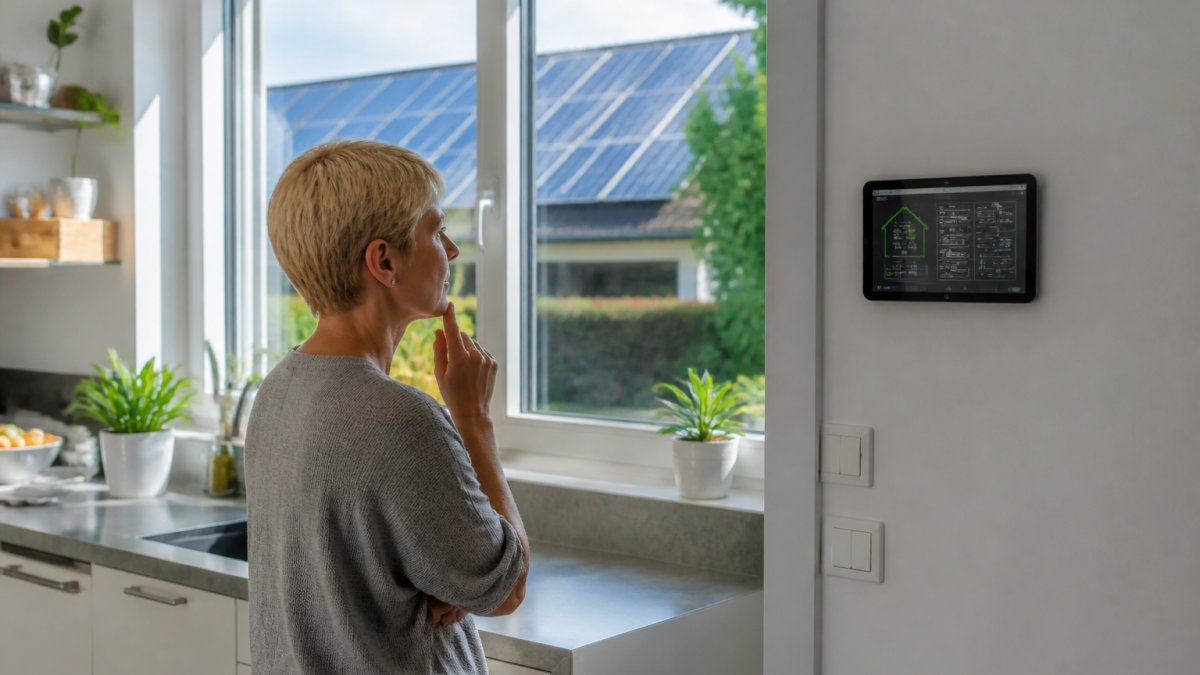
Circuit-level monitoring is the standard worth insisting on. Whole-home monitoring tells you the total; circuit-level monitoring tells you which appliance caused it, which is what you need before writing an automation rule.
Solar Power Diversion: Sending Surplus Energy Where It Pays
Solar power diversion is the practice of routing surplus generation into a controllable load, such as a hot water cylinder, pool pump or electric vehicle charger, instead of exporting it.
Diversion works best with loads that are genuinely flexible. Hot water and pool filtration are ideal because they tolerate being shifted by hours. Vehicle charging is excellent if the vehicle is home during the day.
Compatibility, Cybersecurity and Reliability: What to Check Before You Commit
Compatibility is the first filter, and it should be applied before you sign anything. Ask for the specific protocols your inverter, battery and automation controller use, and confirm in writing that they interoperate. Read the step-by-step guide to integrating existing smart home devices before you commit.
Cybersecurity deserves equal weight. A connected home is a small network, and every device on it is an entry point. Practical minimums:
- Change default credentials on every device before it joins the network
- Put smart devices on a separate network segment from work laptops
- Enable automatic firmware updates where the vendor supports them
Reliability comes down to documentation. Ask what happens if the automation controller fails: does the solar system revert to safe default operation, or does it stop producing?
What Solar and Smart Home Integration Costs and How to Plan the Project
Pricing depends on array size, battery capacity, the number of controlled circuits and how much existing wiring needs remediation. Rather than quote a single figure, it helps to understand the cost stack and the variables that move it, then build a payback model around your own tariff and consumption profile.
The cost stack
An integrated solar and smart home project is really four budgets stacked together:
- Generation and conversion, panels, mounting, and a hybrid or battery-ready inverter. This is the largest single line and scales with array size.
- Storage, battery capacity and its management system. Cost per kilowatt-hour of usable capacity falls as units get larger, but usable capacity is always less than nameplate capacity.
- Control and monitoring, the energy management controller, circuit-level metering, and any gateway hardware needed to talk to the inverter and battery.
Homeowners often budget generously for panels and battery, then discover the control and electrical layers add a meaningful further share. See how much smart home automation costs in Australia to budget the integration project. Ask for these as separate line items so you can see where the money is going.
Incentives to factor in
Incentives such as small-scale technology certificates and state or territory battery programs change frequently, so check the current schemes and eligibility rules for your jurisdiction before finalising a budget. Feed-in tariffs vary by retailer and state, and the gap between the feed-in rate and the retail import rate is the single biggest driver of whether self-consumption pays.
A worked payback example
Payback is not a fixed number; it is a calculation. The method matters more than the example, so here is the shape of it using illustrative figures only, substitute your own quotes and tariffs:
- Establish the net cost. Take the quoted system price, subtract any applicable incentives, and add any switchboard or remediation works.
- Estimate self-consumed energy. If the array generates, say, an illustrative 20 kWh on a good day and the home uses 8 kWh of that directly, self-consumption is 8 kWh. The remaining 12 kWh is either exported or diverted into a battery or flexible load.
- Value each kilowatt-hour correctly. Self-consumed units are worth the retail import rate you avoid. Exported units are worth the feed-in rate. Battery-shifted units are worth the retail rate minus round-trip losses. Diverted units are worth the retail rate you avoid.
- Add the bill savings across a year, then divide net cost by annual savings to get a simple payback in years.
The lesson from the arithmetic is that every kilowatt-hour you shift from export to self-consumption or diversion improves payback, precisely what the automation layer is for. A system with good control can materially outperform an identical array with a basic timer.
Planning sequence
- Audit existing wiring and switchboard capacity before design, this determines what is even feasible.
- Design the control architecture and backup circuits together, not sequentially.
- Specify circuit-level monitoring from the outset; retrofitting it later is disruptive.
- Install in stages so each layer is verified before the next.
- Commission with a written handover of settings, credentials and automation rules.
| Stage | Typical Duration | What You Need to Decide |
|---|---|---|
| Wiring and switchboard audit | 1-2 days | Backup circuit list |
| Control architecture design | 1-2 weeks | Protocols and controller |
| Staged installation | 3-10 days | Phasing of works |
| Commissioning and handover | 1-2 days | Automation rules and access |
Book a Solar and Smart Home Integration Assessment
The gap between a solar system that produces and a solar system that saves comes down to design and commissioning.
Cube Automation provides tailored automation and electrical solutions for residential and commercial properties, with a team of licensed electricians delivering design, installation and maintenance.
If you are planning a renovation or a new build, contact Cube Automation for a quote.
Frequently Asked Questions
How does solar and smart home integration work?
Your solar panels and inverter generate direct current, which the inverter converts to mains power for the house. A smart controller or energy management system sits between the inverter, battery, and connected devices, reading generation and consumption data and switching loads automatically. When generation is high, it can run the pool pump, charge the battery, or divert surplus to hot water. When generation drops, it draws from the battery or the grid. The result is a solar smart home that uses its own power first rather than exporting it for a lower feed-in tariff.
Can smart home devices use solar power directly?
Not directly. Panels produce direct current and most smart devices run on 240V alternating current, so the inverter has to convert it first. What you can do is schedule high-draw devices, such as dishwashers, dryers, and EV chargers, to run during peak generation hours through a smart home energy management system. That way the device is effectively running on solar without any special wiring. Smaller items like sensors and cameras can also run on dedicated small panels or low-voltage circuits.
Can a smart home system control a solar battery?
Yes, if the battery and the automation platform support a shared communication standard or the installer configures the integration properly. Solar battery integration with home automation lets you set rules such as holding charge for the evening peak, reserving a minimum for blackout backup, or forcing a charge when a storm warning is issued. Check that your battery brand publishes an open API or supported integration list before you buy, because locked-down systems limit what your automation can do.
Can solar panels power a smart home during a blackout?
Only with a battery and backup-capable inverter, or a hybrid inverter with a dedicated backup circuit. Standard grid-tied solar shuts down during an outage to protect line workers. A battery with backup capability can keep selected circuits running, and smart automation can shed non-essential loads so the stored energy lasts longer. Decide which circuits matter most, such as refrigeration, lighting, and communications, and have them wired to a backup panel during installation.
What should I consider before integrating solar with home automation?
Start with compatibility: confirm your inverter, battery, and automation platform can share data, ideally through a published API or a recognised standard. Check whether existing wiring can carry the new circuits and whether your switchboard has spare capacity. Plan solar power diversion for surplus energy rather than exporting it cheaply. Also confirm who maintains the system after handover and what happens if a device fails, since a solar smart home only delivers savings if the automation keeps running.
